SKU: OT2058-D112 Numer artykułu: AB041 EAN: 8720589817418

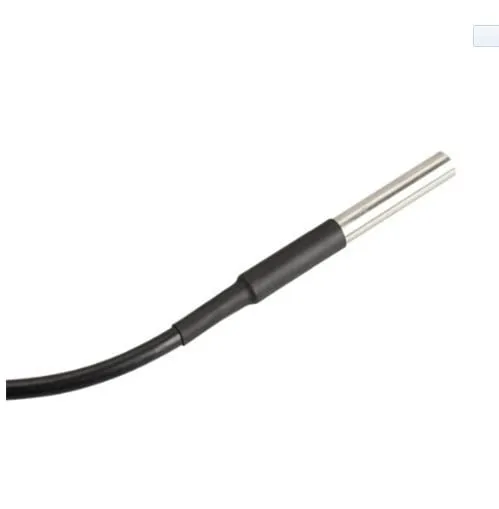
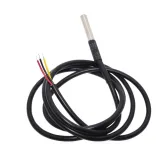
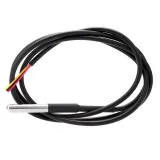
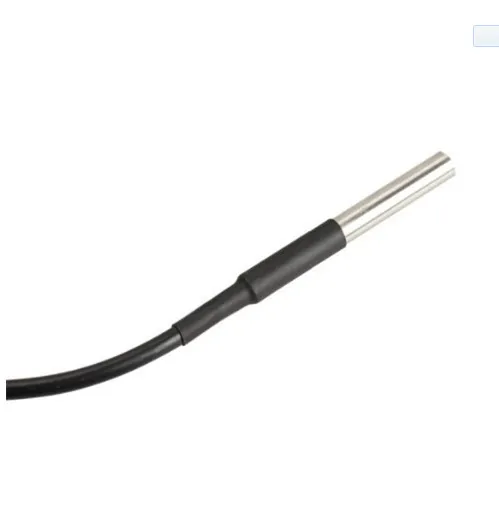
Wodoodporny czujnik temperatury DS18B20 o całkowitej długości 1 metra.
Średnica czujnika wynosi 6mm i ma długość 50mm.
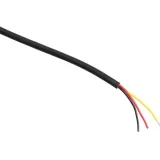
Grubość przewodu wynosi 4mm i zawiera 3 małe przewody o grubości 1,1mm w kolorach czerwonym, niebieskim i czarnym.
Napięcie: 3V do 5.5V
Wymiary
Długość: 100cm
Szerokość: 0,04cm
Wysokość: 0,04cm
Odtworzenie spowoduje załadowanie filmu z YouTube.
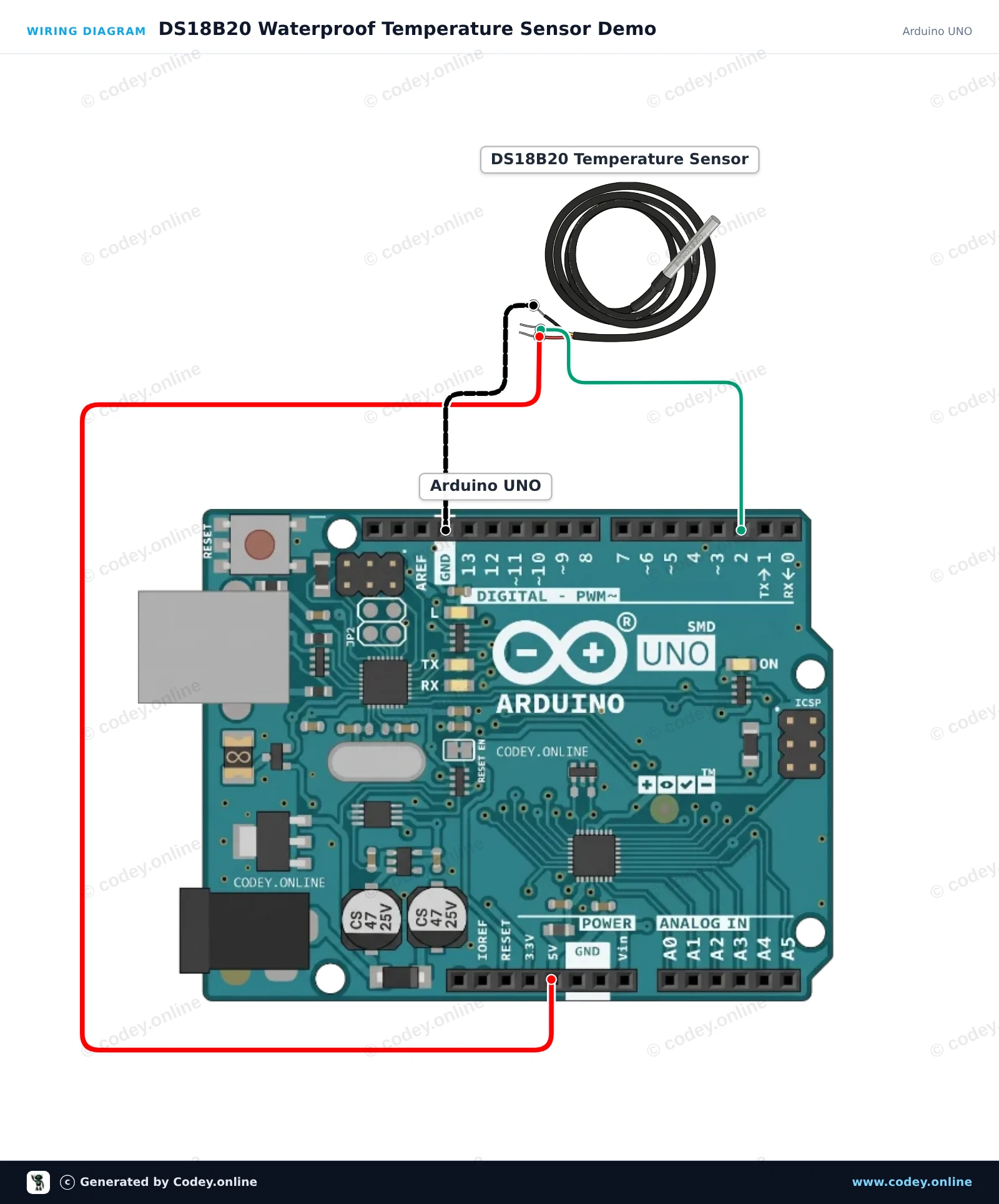
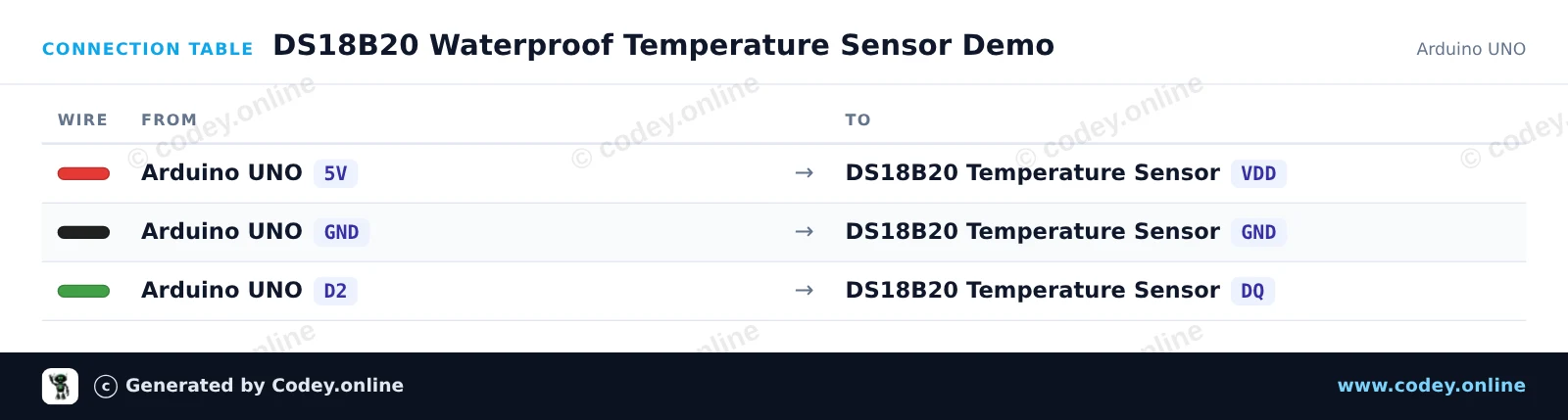
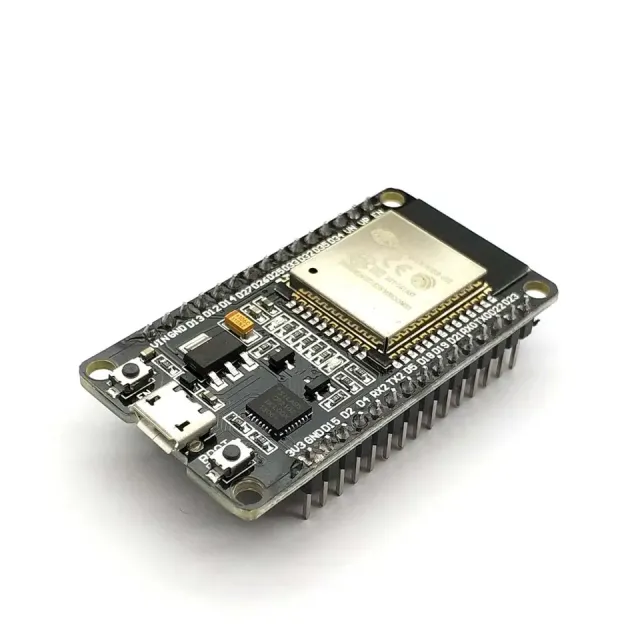
Tak podłączysz Wodoodporna sonda czujnika temperatury DS18B20 kabel 1m do Arduino UNO lub ESP32, z przykładowym szkicem, który możesz od razu wgrać.
Ten projekt odczytuje dane temperatury z wodoodpornej sondy DS18B20 i co sekundę wyświetla wartości w stopniach Celsjusza w Serial Monitor. Podłącz czujnik bezpośrednio do Arduino Uno i otwórz Serial Monitor z prędkością 115200 baud, aby obserwować pomiary temperatury w czasie rzeczywistym.
/*
 * ==================================================================
 *  Generated by Codey.online  —  https://www.codey.online
 * ==================================================================
 *  Project   : DS18B20 Waterproof Temperature Sensor Demo
 *  Board     : Arduino UNO (arduino:avr:uno)
 *  Parts     : DS18B20 waterdichte probe temperatuursensor 1 m cable
 *  Libraries : OneWire 2.3.8, DallasTemperature 4.0.6
 *
 *  Codey Online is an AI-powered browser IDE for Arduino and ESP32.
 *  Describe your project and Codey writes the code, draws the wiring
 *  diagram and uploads it to your board, straight from the browser.
 *  This code is free to use, modify and share, without warranty.
 * ==================================================================
 */

#include <OneWire.h>
#include <DallasTemperature.h>

const int ONE_WIRE_BUS = 2;

OneWire oneWire(ONE_WIRE_BUS);
DallasTemperature sensors(&oneWire);

void setup() {
  Serial.begin(115200);
  sensors.begin();
  Serial.println(F("DS18B20 Temperature Sensor Initialized"));
}

void loop() {
  sensors.requestTemperatures();
  float tempC = sensors.getTempCByIndex(0);

  if (tempC == DEVICE_DISCONNECTED_C) {
    Serial.println(F("Error: Could not read temperature data"));
  } else {
    Serial.print(F("Temperature: "));
    Serial.print(tempC);
    Serial.println(F(" °C"));
  }

  delay(1000);
}Wymagane biblioteki: OneWire 2.3.8, DallasTemperature 4.0.6
Wiring diagram and example code generated by Codey.online — https://www.codey.online
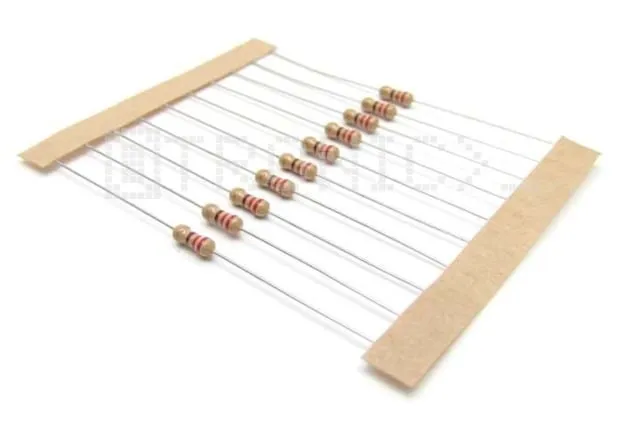
Ten projekt odczytuje dane temperatury z wodoodpornej sondy DS18B20 i wyświetla odczyty w stopniach Celsjusza i Fahrenheita w Serial Monitor. Rezystor podciągający 4.7kΩ jest umieszczony między linią zasilania 3.3V a linią danych 1-Wire, aby zapewnić niezawodną komunikację. Otwórz Serial Monitor z prędkością 115200 baud, aby obserwować bieżące pomiary temperatury.
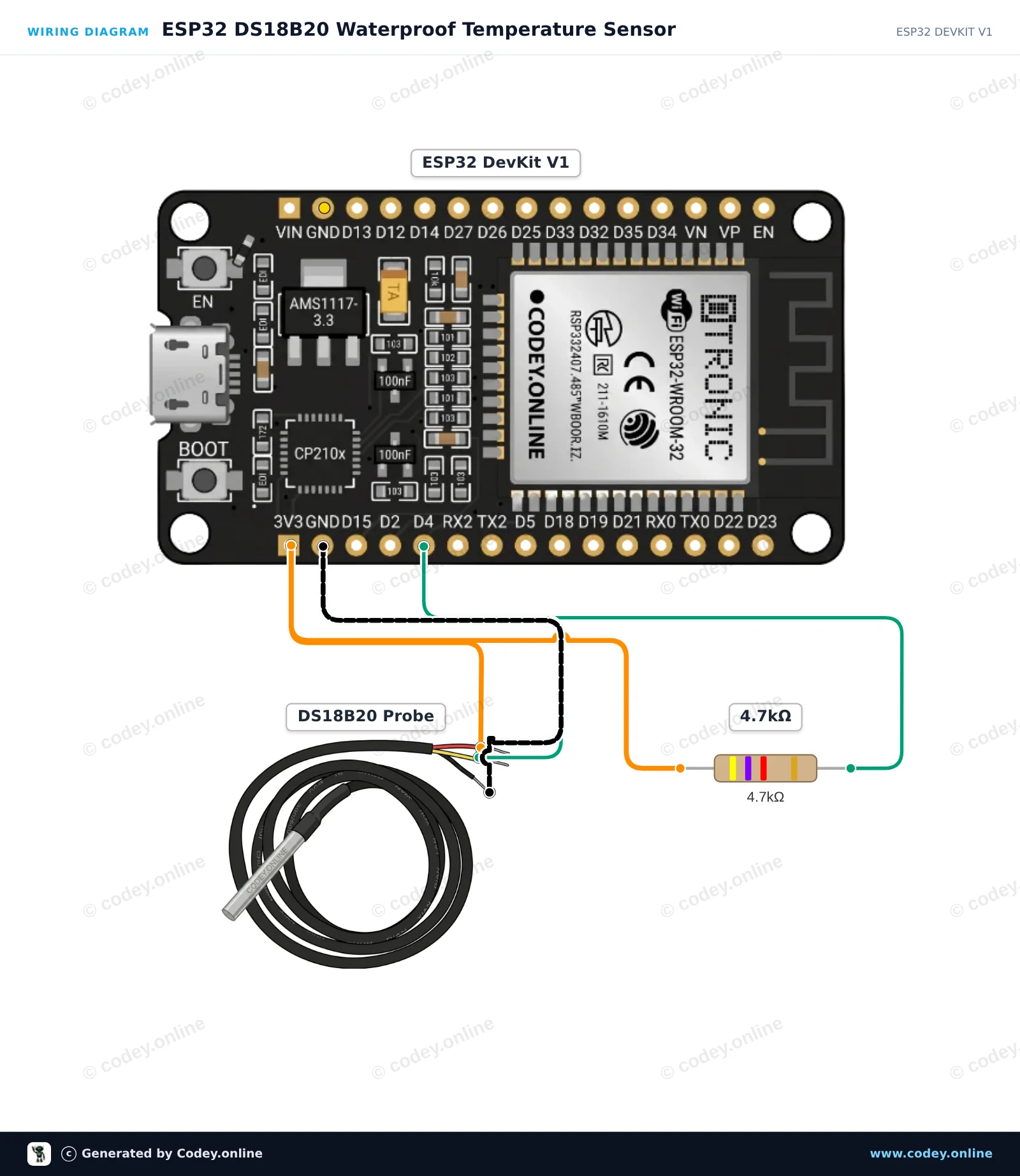
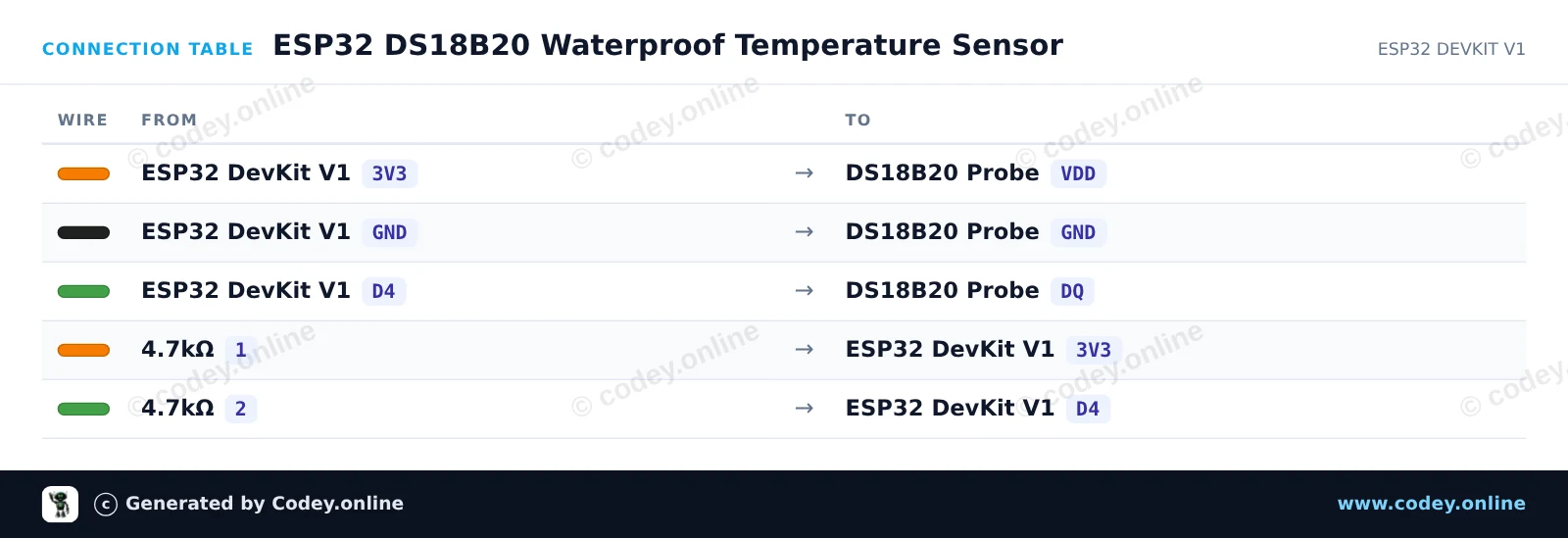
/*
 * ==================================================================
 *  Generated by Codey.online  —  https://www.codey.online
 * ==================================================================
 *  Project   : ESP32 DS18B20 Waterproof Temperature Sensor
 *  Board     : ESP32 DEVKIT V1 (esp32:esp32:esp32doit-devkit-v1)
 *  Parts     : DS18B20 waterdichte probe temperatuursensor 1 m cable
 *  Libraries : OneWire 2.3.8, DallasTemperature 4.0.6
 *
 *  Codey Online is an AI-powered browser IDE for Arduino and ESP32.
 *  Describe your project and Codey writes the code, draws the wiring
 *  diagram and uploads it to your board, straight from the browser.
 *  This code is free to use, modify and share, without warranty.
 * ==================================================================
 */

#include <OneWire.h>
#include <DallasTemperature.h>

const int ONE_WIRE_BUS = 4;

OneWire oneWire(ONE_WIRE_BUS);
DallasTemperature sensors(&oneWire);

void setup() {
  Serial.begin(115200);
  sensors.begin();
  Serial.println("DS18B20 Temperature Sensor Demo");
}

void loop() {
  sensors.requestTemperatures();
  float tempC = sensors.getTempCByIndex(0);

  if (tempC == DEVICE_DISCONNECTED_C) {
    Serial.println("Error: Could not read temperature data");
  } else {
    float tempF = sensors.getTempFByIndex(0);
    Serial.print("Temperature: ");
    Serial.print(tempC);
    Serial.print(" °C | ");
    Serial.print(tempF);
    Serial.println(" °F");
  }

  delay(1000);
}Wymagane biblioteki: OneWire 2.3.8, DallasTemperature 4.0.6
Wiring diagram and example code generated by Codey.online — https://www.codey.online





 English
  Nederlands
  Frans
Frans  Deutsch
  Italiano
  Español
  Suomi
Suomi  Dansk
Dansk  Ελληνικά
  Български
  Čeština
  Hrvatski
  Aileen